Stop and start a VM
You can stop a running VM (Virtual Machine) at any time, then start it again. Stopping a VM lets you, for example, carry out its maintenance or process its system volume.
Permissions
This action requires the following IAM (Identity and Access Management) permissions:
- compute.vm.update
- Console
- API
- Terraform
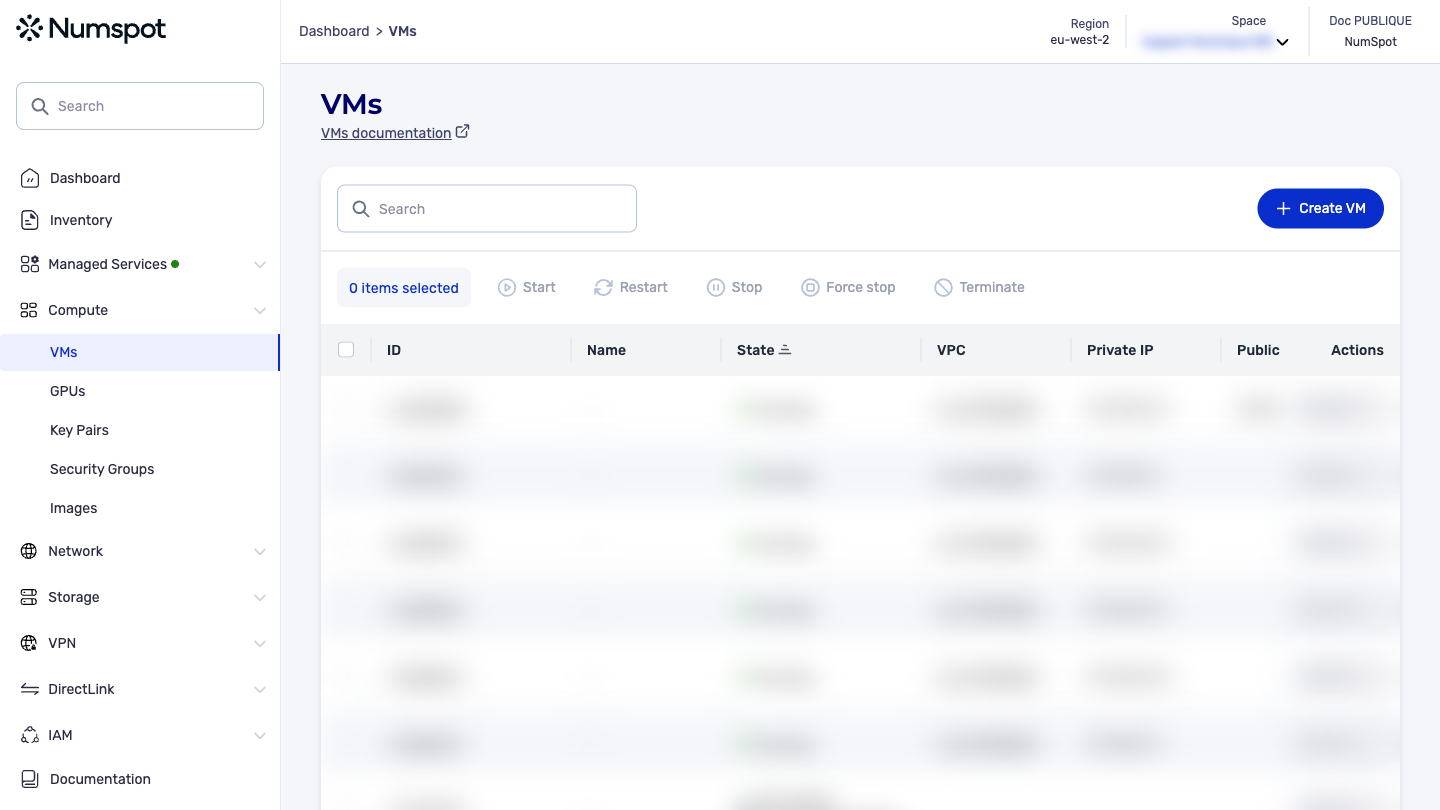
Stop a VM
-
From the left-hand side menu, click Compute → VM to access the list of VM.
-
Select the VM you want to stop.
infoMulti-selection is available.
-
Click the Stop button.
-
When prompted to confirm the operation, select Stop.
The selected VM is stopped.
-
The state of the selected VM moves to "stopping", then to "stopped" once the operation is complete.
Start a VM
-
From the left-hand side menu, click Compute → VM to access the list of VM.
-
Select the VM you want to start.
infoMulti-selection is available.
-
Click the Start button.
-
When prompted to confirm the operation, select Start.
The selected VM is started.
-
The state of the selected VM moves to "pending", then to "running" once the operation is complete.
The PUT /compute/spaces/{spaceId}/vms/{id}/stop command stops a running VM. The data stored in the RAM (Random Access Memory) of the VM is lost.
The PUT /compute/spaces/{spaceId}/vms/{id}/start command starts a VM.
The Terraform documentation is available on the Numspot registry ↗.