Technical support
Numspot technical support is available to assist you on a daily basis and answer your questions through the following channels:
- Web ticketing interface: https://support.numspot.com ;
- E-mail: support-client@numspot.com ;
- Phone number: +33 1 59 03 50 06.
Service hours
Support tickets are handled on business days, from 9 a.m. to 6 p.m.
The phone service is available on business days, from 9 a.m. to 6 p.m., subject to advisor availability.
Support requests
info
To submit a support request and open a ticket through the web, you must first send a support account creation request to the following address: support-client@numspot.com, including the details of the person concerned (last name, first name, e-mail address).
- Once your account has been created, you will receive an e-mail inviting you to go to the following link: https://support.numspot.com. On the login page, click the "Forgotten password" link.
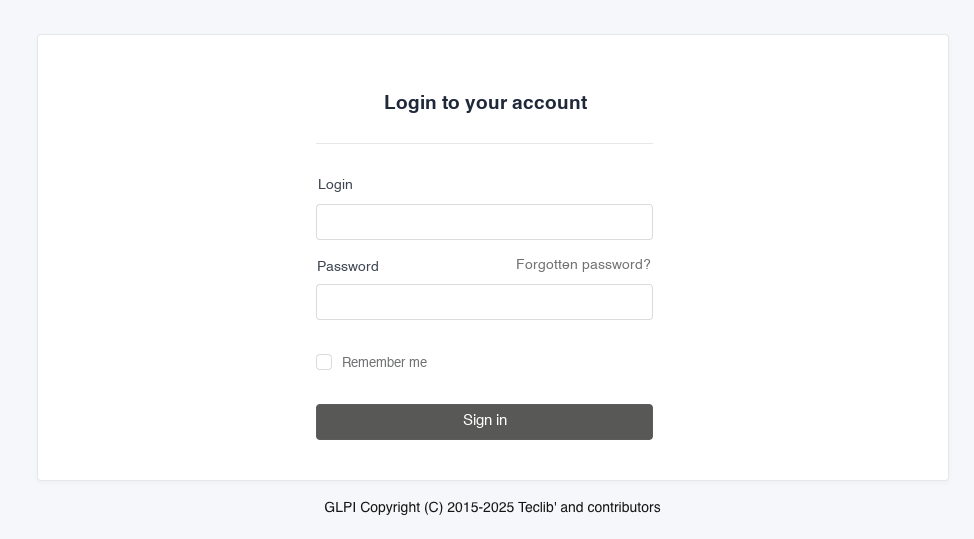
- Enter the e-mail address you provided to us and click the Send button. You will then receive an e-mail containing a reset link.
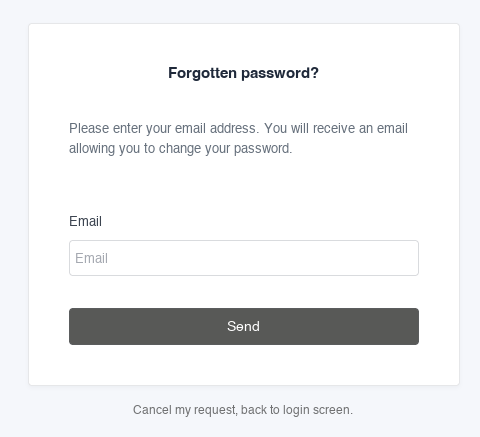
- Click the link. You will be redirected to the reset page where you can enter a new password. Enter and confirm your new password, then click the Save the new password button.
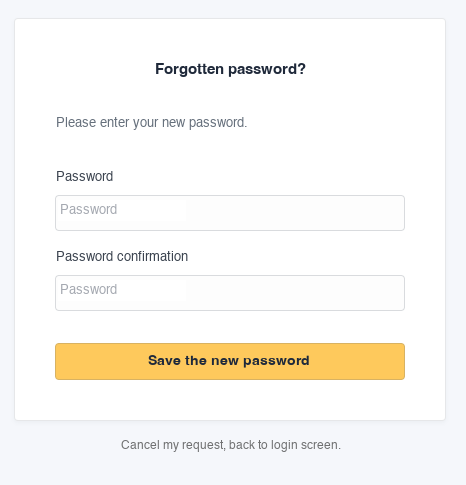
- After changing your password, click the "back to the login screen" link.

- Once logged in, you can open a new ticket by providing the following information:
- Request type ;
- Category ;
- Title ;
- Description ;
Space ID;- Products ;
- Zone.
- You can track the progress of your request from the "Tickets" page of your account.