Get information about your route tables
You can get information about one or more of your route tables, such as the VPC (Virtual Private Cloud) for which they are created or the routes they contain.
Permissions
This action requires the following IAM (Identity and Access Management) permissions:
- compute.routeTable.get
- Console
- API
- Terraform
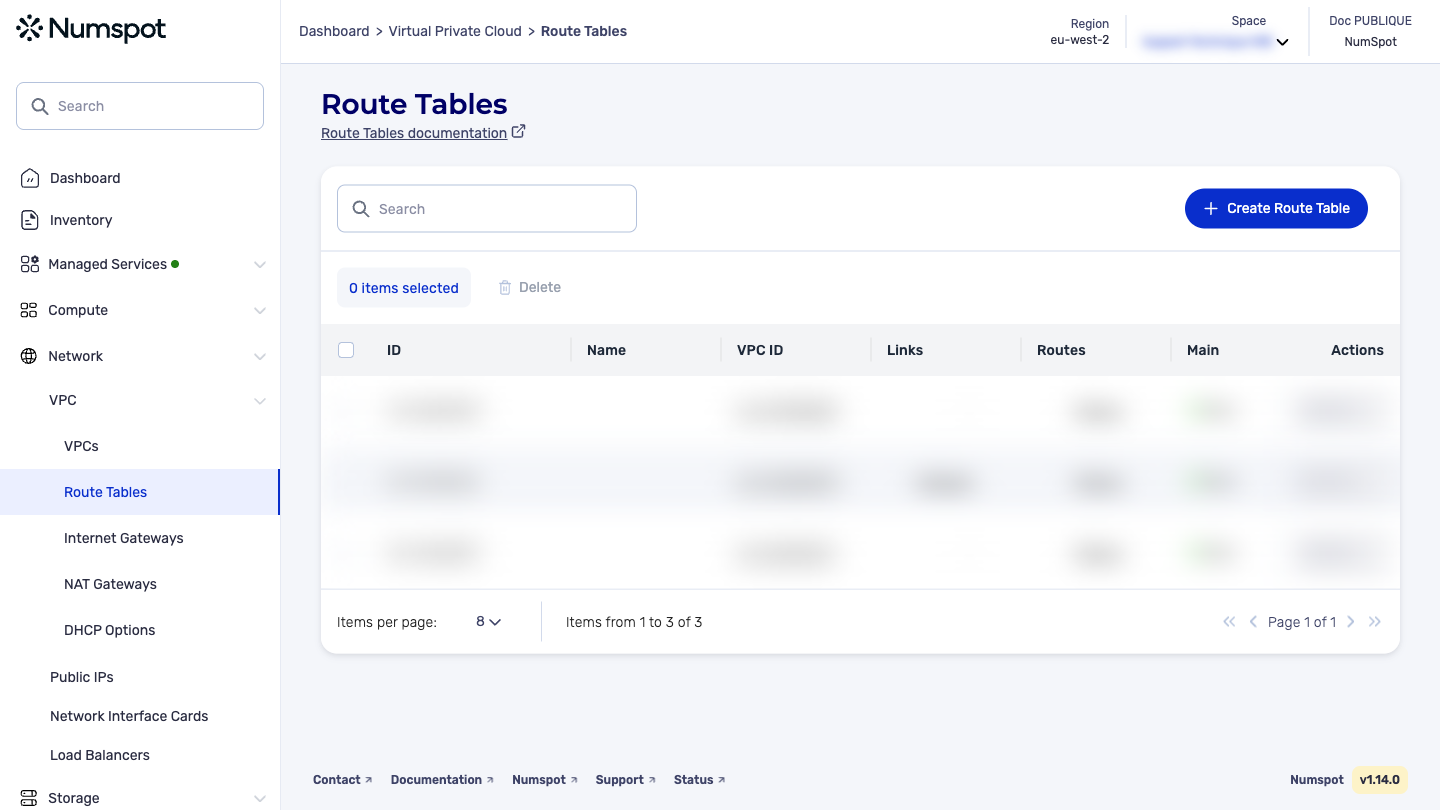
View your route tables from the console
You can view the information of your route tables from the Numspot console.
View the list of route tables
- Log in to the Numspot console.
- From the left-hand side menu, click Network → VPC → Route Table.
- The list of your route tables appears with their main information.
View the details of a route table
- Log in to the Numspot console.
- From the left-hand side menu, click Network → VPC → Route Table.
- Click the name of the route table whose details you want to view. The detailed information of the route table appears, including the routes and the associations to the subnets.
The GET /compute/spaces/{spaceId}/routeTables command lists the route tables.
In your VPC, each subnet must be associated with a route table. If a subnet is not explicitly associated with a route table, it is implicitly associated with the main route table of the VPC.
Sample request: List all route tables
The GET /compute/spaces/{spaceId}/routeTables/{id} command retrieves information about a route table.
The Terraform documentation is available on the Numspot registry ↗.