Add a node pool to a Kubernetes cluster
Add a node pool to an existing Kubernetes cluster.
Permissions
This action requires the following IAM (Identity and Access Management) permissions:
- kubernetes.cluster.update
- Console
- API
- From the left-hand side menu, click Managed services → Kubernetes to access the list of Kubernetes clusters.

-
Click the ID of the cluster to which you want to add a node pool.
-
Click the Create button in the Node pools section to launch the creation wizard.
Node pool name

Specify a name that will allow you to identify your node pool. This name must meet the following criteria:
- Length: between 3 and 63 characters;
- Allowed characters: only letters (a-z, A-Z), numbers (0-9), hyphens (
-) or underscores (_); - Structure:
- must start and end with an alphanumeric character;
- hyphens (
-) or underscores (_) cannot be consecutive or placed at the start or end of the name.
Valid example: my-node_pool-2026.
Availability zone
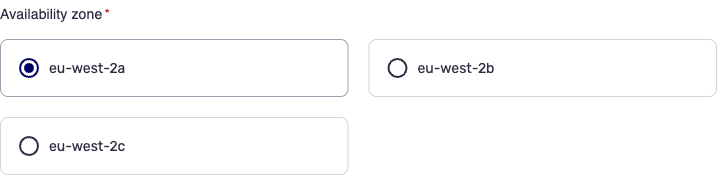
Select the availability zone of your node pool.
Node type
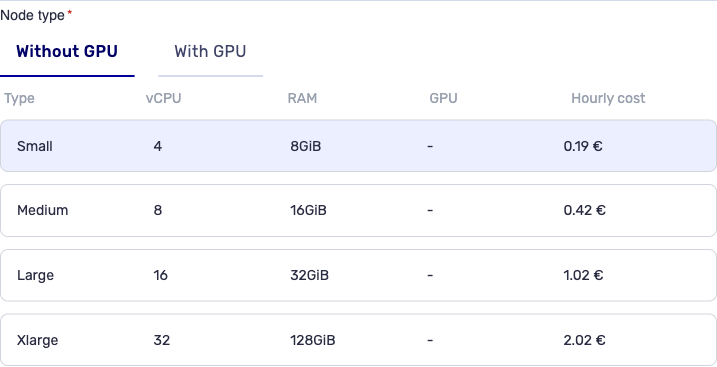
Select the node type of your node pool. All the nodes of a node pool have the same type.
System volume type
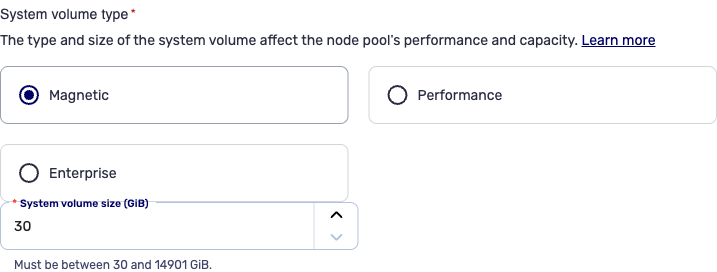
Select the system volume type from the following options:
- Magnetic: balanced SSD for everyday use;
- Performance: high-performance SSD for production;
- Enterprise: SSD with guaranteed IOPS per GiB for critical workloads.
Enter the system volume size required for your node pool.
Autoscaling
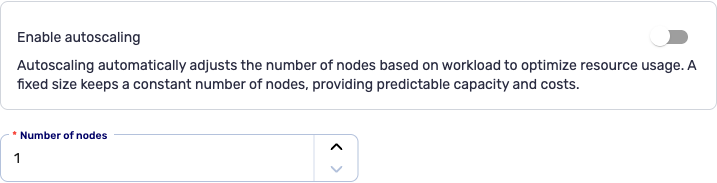
Enable autoscaling if you wish and enter the minimum and maximum numbers of nodes. The number of nodes can vary between 1 and 20. If you do not want to enable autoscaling, simply enter the number of nodes required - between 1 and 20.

Node pool creation
To finalize the creation of the node pool, click the Create button.
You are redirected to the cluster details page. Your node pool is then being created. Its status will update as soon as it is operational, after only a few minutes.
Use the POST /kubernetes/spaces/{spaceId}/clusters/{clusterId}/nodePools route to add a node pool to a Kubernetes cluster.
Example request
{
  "name": "worker-nodepool-new",
  "availabilityZone": "eu-west-2a",
  "nodeProfile": "large",
  "replicas": 3,
  "autoscaling": {
    "min": 2,
    "max": 10
  },
  "rootDisk": {
    "size": 100,
    "iops": 5000,
    "type": "enterprise"
  }
}
Example response
{
  "id": "nodepool-003-e29b-41d4-a716",
  "name": "worker-nodepool-new",
  "availabilityZone": "eu-west-2a",
  "nodeProfile": "large",
  "replicas": 3,
  "rootDisk": {
    "size": 100,
    "iops": 5000,
    "type": "enterprise"
  },
  "status": {
    "state": "CREATING",
    "message": "NodePool is being provisioned"
  }
}