Delete a subnet
You can delete an empty subnet that you no longer need. This action does not delete the route table and the security groups used for this subnet.
Permissions
This action requires the following IAM (Identity and Access Management) permissions:
- compute.subnet.delete
- Console
- API
- Terraform
Prerequisite: All the VM (Virtual Machines) that are in the subnet must be deleted.
-
Log in to the Numspot console.
-
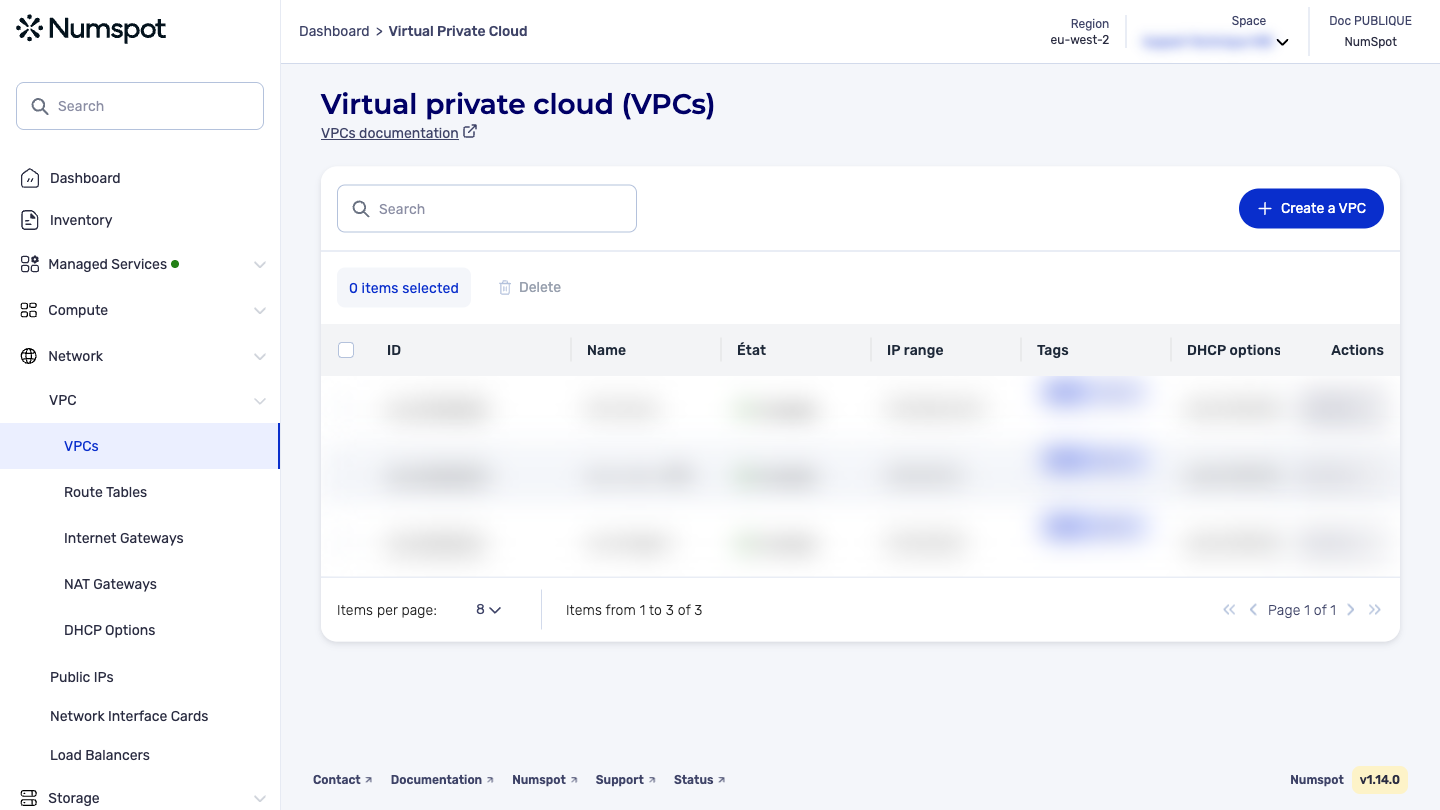
From the left-hand side menu, click Network → VPC → VPC.
-
The list of VPC appears. Click the ID of the relevant VPC.
-
The "VPC details" page appears.
-
Below the VPC details, the "Subnets" section appears, containing the list of subnets associated with the VPC.
-
Identify the subnet that you want to delete by clicking the Delete button.
-
A confirmation message appears at the bottom indicating that the subnet has been deleted, and you are redirected to the detailed page of the associated VPC.
Before you begin: Delete all the VM that are in the subnet.
The DELETE /compute/spaces/{spaceId}/subnets/{id} command deletes a specified subnet.
Before deleting the subnet, you must delete all the resources associated with it:
- VM
- Network interface cards — NIC (Network Interface Card)
- NAT services (NAT Gateway)
- Load balancers (load balancer)
The Terraform documentation is available on the Numspot registry ↗.