Read one or more tags
You can search for information about your tags.
To search for resources by their tags, refer to the read section of the relevant resource.
Permissions
This action requires the IAM (Identity and Access Management) read permission for each resource whose tags you want to view. For example:
- compute.vm.get for a VM (virtual machine);
- compute.blockStorage.get for a volume (block storage);
- compute.loadBalancer.get for a load balancer;
- compute.vpc.get for a VPC (Virtual Private Cloud).
This list is given as an example and is not exhaustive: for each resource, refer to its action page.
Only the tags of the resources you are allowed to read are returned.
- Console
- API
- Terraform
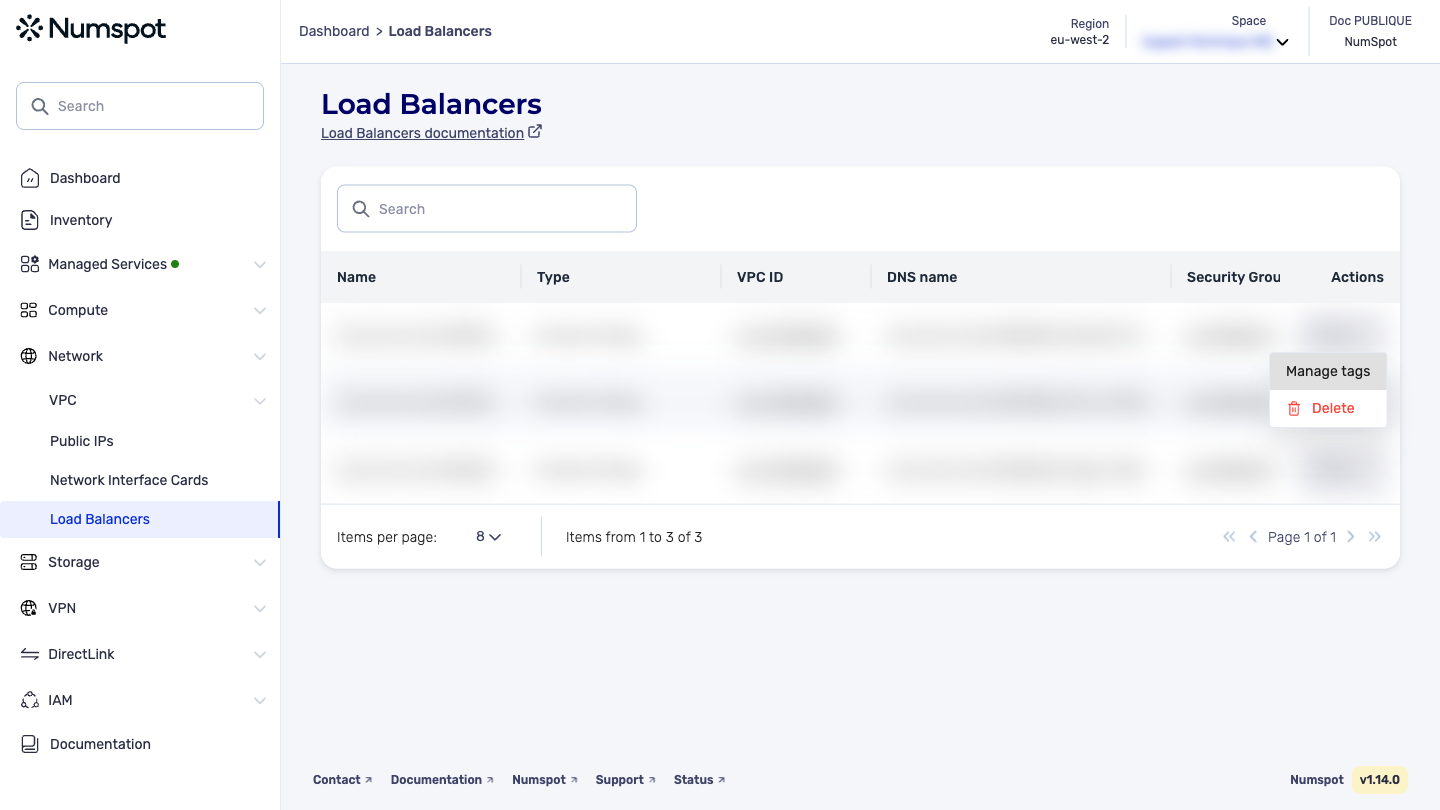
- From the left-hand side menu, go to the list of the resource whose tags you want to view;
- On the resource row, open the Actions menu, then click Manage tags.
The Manage Tags panel shows the list of tags associated with the resource.
The process is identical for all resources that support tags (VM, volume, load balancer, VPC…). The example above is taken from a load balancer.
The GET /compute/spaces/{spaceId}/tags command lists the tags of a space. The list contains only the tags of the resources you have permission to access.
The Terraform documentation is available on the Numspot registry ↗.