Create or update one or more tags
To create or update a tag, you must define a key and a value. The key is the name of the tag and the value is the value of the tag. For example, you can create a tag with the key "environment" and the value "production".
When you create a resource, the Numspot Console lets you define its Name tag (the name of the resource). Once the resource is created, you can add more tags via the Numspot Console or the Numspot API.
Permissions
Adding or updating tags is an update operation on the relevant resource. This action requires the IAM (Identity and Access Management) update permission for each targeted resource. For example:
- compute.vm.update for a VM (virtual machine);
- compute.blockStorage.update for a volume (block storage);
- compute.loadBalancer.update for a load balancer;
- compute.vpc.update for a VPC (Virtual Private Cloud).
This list is given as an example and is not exhaustive: for each resource, refer to its action page.
Adding tags to your resources
- Console
- API
- Terraform
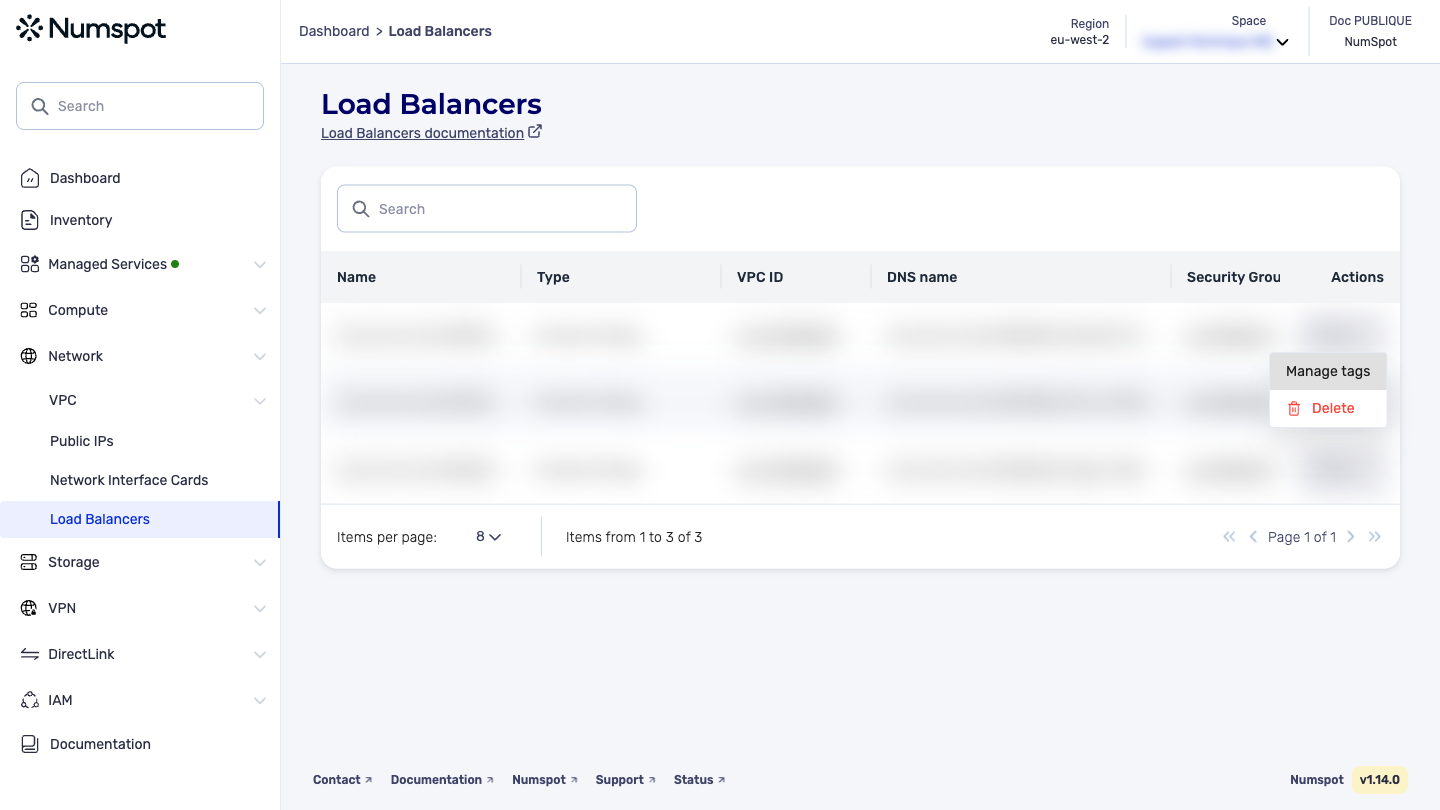
- From the left-hand side menu, go to the list of the resource to which you want to add a tag;
- On the resource row, open the Actions menu, then click Manage tags;
- In the Manage Tags panel, click Create a tag;
- Enter the tag key and value, then click Add tag;
- Click Confirm to save.
The process is identical for all resources that support tags (VM, volume, load balancer, VPC…). The example above is taken from a load balancer.
The PATCH /compute/spaces/{spaceId}/bulk/tags command creates one or more tags on your resources.
The Terraform documentation is available on the Numspot registry ↗.
Updating the values of your tags
- Console
- API
- Terraform
The Numspot Console does not allow you to update an existing tag: tags are displayed as non-editable chips. To change a value, delete the tag and recreate it with the same key. The API and Terraform however allow a direct update (see the corresponding tabs).
- From the left-hand side menu, go to the list of the resource whose tag you want to update;
- On the resource row, open the Actions menu, then click Manage tags;
- Click the cross of the tag to update to delete it;
- Click Create a tag, enter the same key and the new value, then click Add tag;
- Click Confirm to save.
The process is identical for all resources that support tags (VM, volume, load balancer, VPC…). The example above is taken from a load balancer.
The PATCH /compute/spaces/{spaceId}/bulk/tags command updates one or more tags on your resources.
The Terraform documentation is available on the Numspot registry ↗.