Authenticate with an API token
Introduction
The DLP (Data Loss Prevention) API accepts two authentication methods:
- Session (cookie): created when you log in to the DLP console with a username and password (see Access the DLP console). Suited to interactive use in the console.
- API token (Bearer): a token generated by the control plane (prefixed
num_dlp_...), passed in theAuthorization: Bearerheader. Suited to programmatic use (scripts, CI/CD pipelines, integrations).
This page describes how to create, use and revoke API tokens.
Create an API token
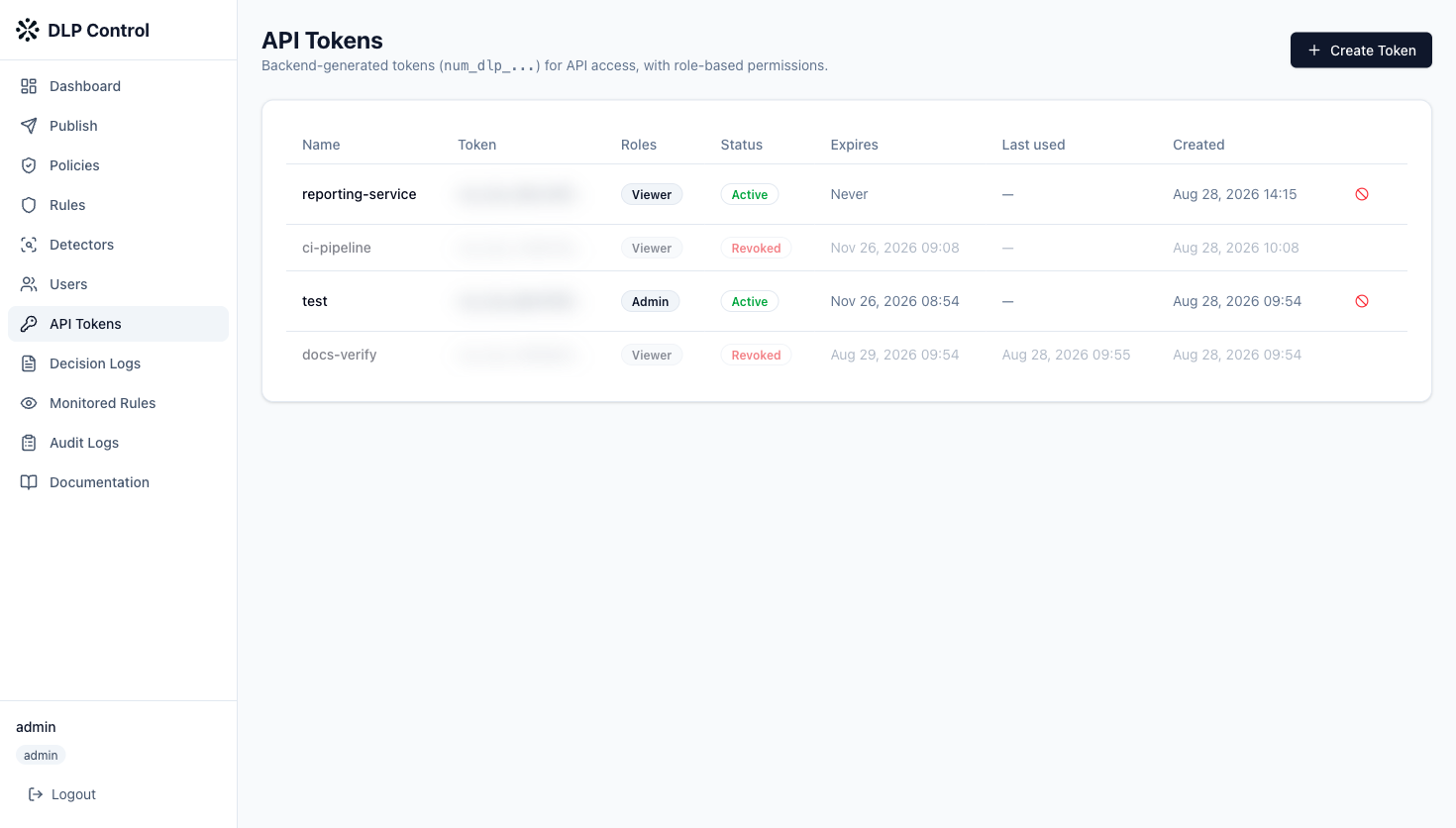
- In the side menu, click API Tokens;
- Click Create Token;
- Enter a name (for example
ci-pipeline) that will let you identify the token; - Select one or more roles (see below);
- Optionally, tick Set expiration date to set an expiry date. Without an expiry, the token stays valid until it is revoked;
- Click Create Token.
The token value (num_dlp_...) is generated by the backend and shown only once, at creation time. Copy it and store it in a secrets vault before closing the window. If you lose it, revoke the token and create a new one.
Available roles
A token carries one or more roles that determine its permissions on the API:
| Role | Permissions |
|---|---|
| Viewer | Read only (dashboard, logs, rules, detectors, policies). |
| Rule Editor | Create and edit rules. |
| Detector Editor | Create and edit custom detectors. |
| Rule Publisher | Publish rulesets. |
| Admin | All permissions, including user and token management. |
Grant the token the minimum role required for its use. For example, a pipeline that only reads logs only needs the Viewer role.
Use the token
Pass the token in the Authorization: Bearer HTTP header of your requests to the DLP API:
curl -H "Authorization: Bearer num_dlp_xxxxxxxxxxxx" \
  https://<dlp-console-url>/api/v1/rules
Replace <dlp-console-url> with your DLP console URL (see Access the DLP console) and num_dlp_xxxxxxxxxxxx with your token value.
The full list of endpoints is available in the Data Loss Prevention OpenAPI reference.
Revoke a token
A compromised or unused token should be revoked. Once revoked, any request using it is rejected immediately. This action is irreversible.
Best practices
- Never share a token; treat it like a password;
- Store it in a secrets vault (CI/CD variable, secret store) and never in plain text in a repository;
- Prefer short-lived tokens (expiry date);
- Apply the least-privilege principle (minimum role);
- Revoke any token suspected of being compromised immediately, and rotate your tokens regularly.