Create a Hybrid Bridge
You can create a bridge in a space between one of your VPC (Virtual Private Cloud) and the managed services so that they can communicate with each other.
Permissions
This action requires the following IAM (Identity and Access Management) permissions:
- connectivity.bridge.create
Before you start, make sure you have:
- the ID of the VPC you want to connect;
- the ID of the space (the bridge will give access to all the managed services of the space);
- the managed service must be exposed privately (
visibility: INTERNAL).
Configuration required for the Hybrid Bridge to work
You must configure your VPC to allow traffic to and from its bridge. This includes configuring the route table, and updating the rules of the security groups.
Route Table configuration
In the route tables associated with the subnets of your VPC, create a route for each item in the bridge's routes array:
- the
ipRangeas the destination; - the
gatewayIdas the target.
Security Group configuration associated with the VM of your VPC
Add the following rules:
- one or more rules allowing outbound traffic to the managed services;
- one or more rules allowing inbound traffic from the managed services if required.
Your bridge is configured, and the VPC can communicate with the managed services over a private connection.
- Console
- API
Prerequisites
- Have access to the Numspot console
-
In the console, navigate to Network → VPC → Bridges
-
Click Create Bridge
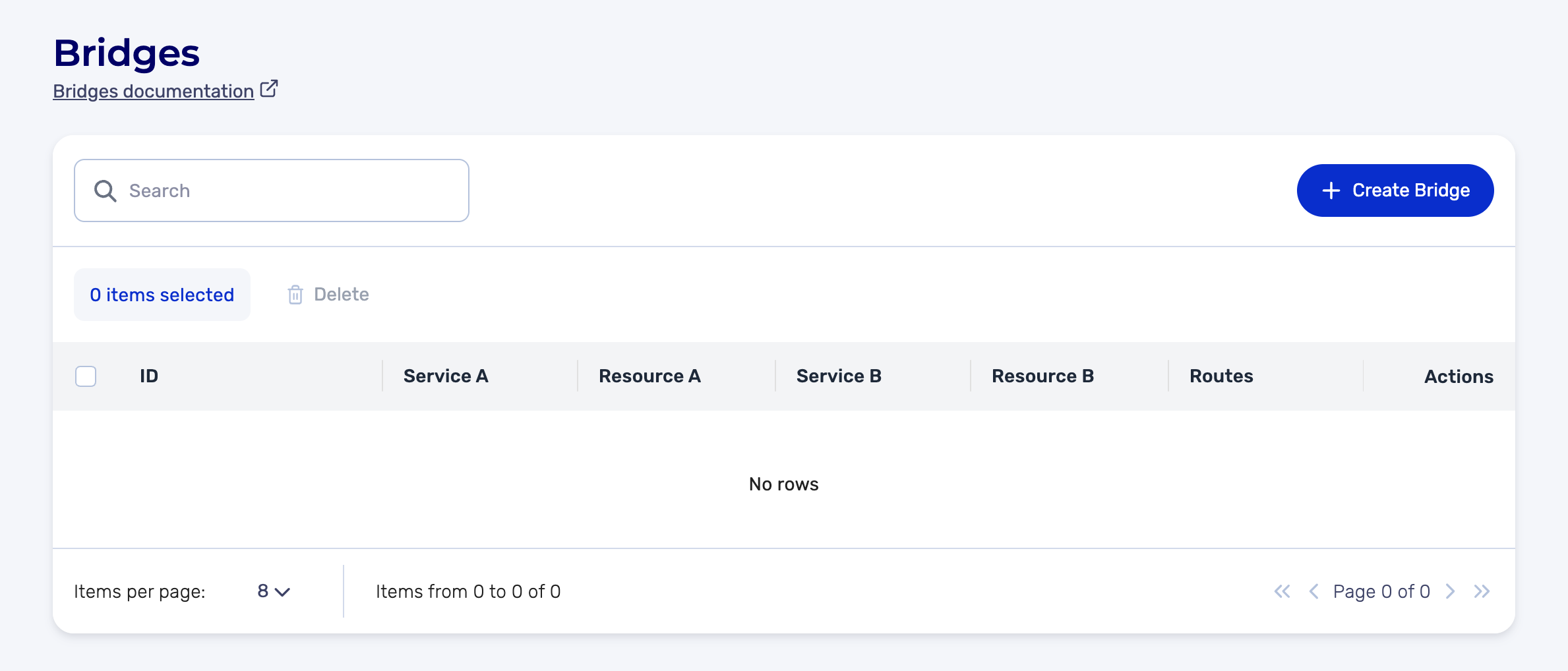
-
In the creation form:
Side A
- Select the Service (for example, Compute)
- Select the Resource to connect (for example, the source VPC)
Side B
- Select the Service (for example, PostgreSQL)
- Select the Resource to connect
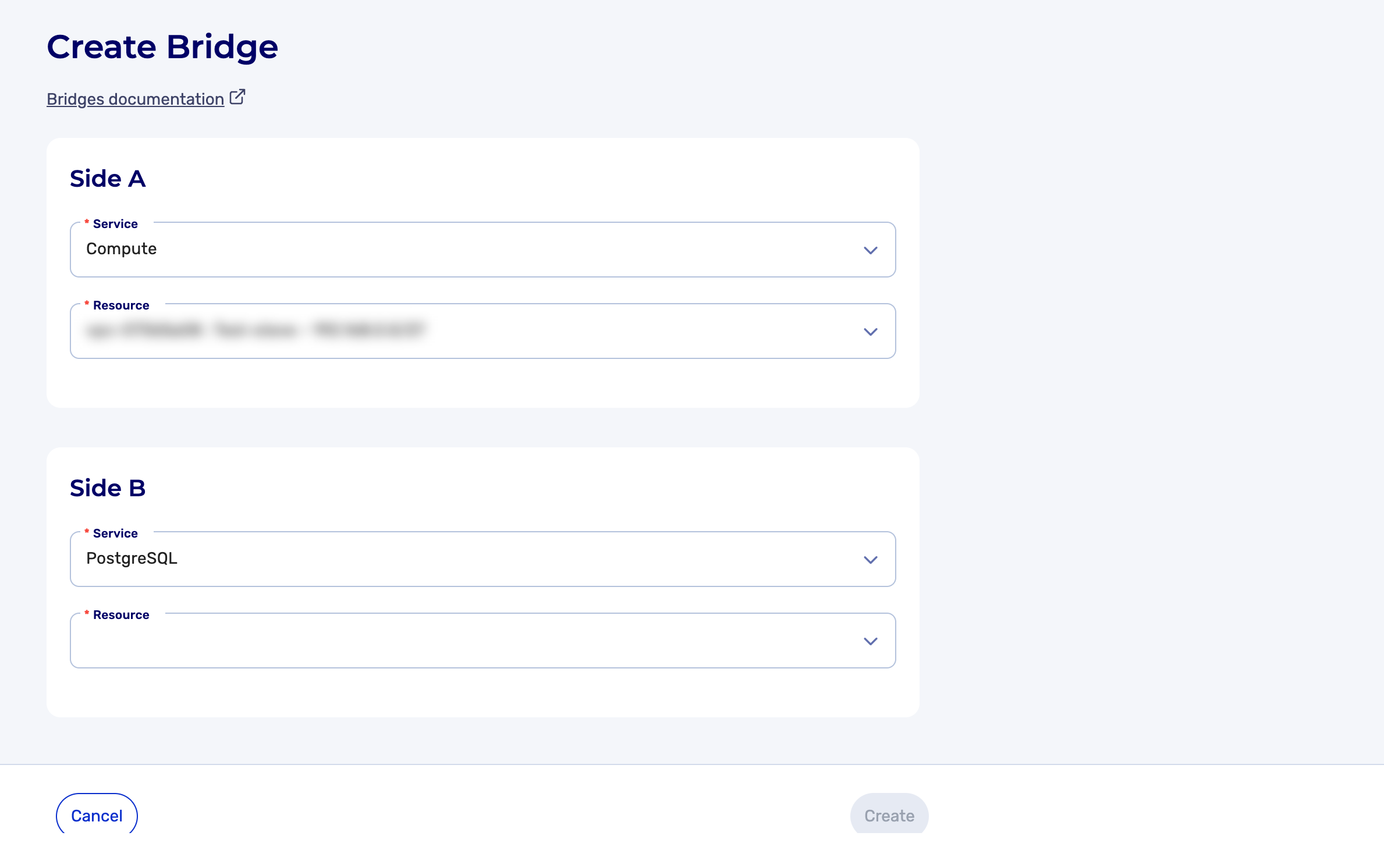
-
Click Create
The Bridge is created and appears in the list of Bridges.
The POST /connectivity/spaces/{spaceId}/bridges command lets you create a bridge between a VPC and the managed services of the space.
Request body:
{
  "left": {
    "id": "vpc-12345678",
    "type": "compute"
  },
  "right": {
    "id": "0194f0c4-8452-77d1-aaaf-516a9731ce9e",
    "type": "managedservice"
  }
}
Example request: Creating a Bridge
Creating a bridge is asynchronous. The API returns a 202 Accepted code and the created object is partial (the routes array is not populated).
To obtain the bridge's routes, use the read endpoint after creation.