Get the status of a PostgreSQL cluster
You can get the status of your PostgreSQL clusters within your space.
Permissions
info
This action requires the following IAM (Identity and Access Management) permissions:
- postgresql.cluster.get
- Console
- API
-
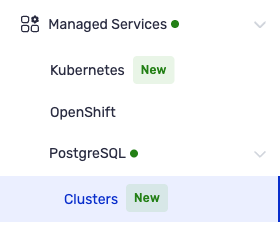
From the left-hand side menu, click Managed Services → PostgreSQL → Clusters to access the list of PostgreSQL clusters.
The "State" column shows the current status of each cluster (for example: "Creation in progress", "In progress").
-
Click the identifier of a cluster in the "ID" column to open its details page. At the top of the page, to the right of the cluster name and identifier, a badge shows its current status.
The GET /postgresql/spaces/{spaceId}/clusters/{clusterId} request returns the current status of a PostgreSQL cluster.
Response example
{
  "id": "550e8400-e29b-41d4-a716-446655440001",
  "name": "my-cluster-postgresql",
  "databaseName": "appdb",
  "user": "admin",
  "majorVersion": "17",
  "fullVersion": "17.2",
  "status": {
    "state": "RUNNING",
    "message": "Cluster is healthy"
  },
  "nodeConfiguration": {
    "vcpuCount": 2,
    "memorySizeGiB": 8
  },
  "volume": {
    "type": "GP2",
    "sizeGiB": 100
  },
  "visibility": "EXTERNAL",
  "replicaCount": 1,
  "host": "my-cluster-postgresql.postgres.eu-west-2.numspot.com",
  "port": 5432,
  "createdOn": "2026-04-05T10:30:00Z"
}