Edit the node configuration of a PostgreSQL cluster
You can edit the node type, the volume size, the number of replicas and the network visibility of a PostgreSQL cluster within your space.
Permissions
This action requires the following IAM (Identity and Access Management) permissions:
- postgresql.cluster.update
- Console
- API
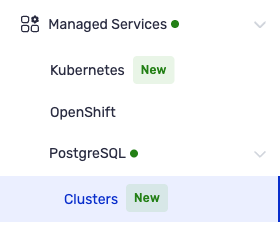
- From the left-hand side menu, click Managed Services → PostgreSQL → Clusters to access the list of PostgreSQL clusters.
- On the row of the cluster to edit, click the Actions button, then click Edit to open the edit form.
Cluster configuration
Adjust the amount of RAM (between 1 and 12 GiB) and the number of vCPU (virtual Central Processing Unit) (between 1 and 7). The PostgreSQL version cannot be edited from this form.
Storage sizing
Enter the new storage size (between 1 and 14901 GiB). The size can only be increased and the storage type cannot be edited.
High availability
Enter the number of synchronous replicas (between 0 and 2). The replicas are spread across several availability zones to improve data availability and reliability.
Network
Select the cluster access type:
- "Private": the cluster is accessible only from the internal network;
- "Public": the cluster is accessible from the Internet through a public IP address.
Applying the changes
Check the "Summary" displayed on the right, then click Edit to apply the changes. The cluster moves to the updating state for the duration of the edit.
The PATCH /postgresql/spaces/{spaceId}/clusters/{clusterId} request lets you change the node type — amount of RAM and number of vCPU (virtual CPU) —, the volume size and the number of replicas of a PostgreSQL cluster.
Example request
{
  "nodeConfiguration": {
    "vcpuCount": 4,
    "memorySizeGiB": 8
  },
  "volumeSizeGiB": 200,
  "replicaCount": 2
}
Example response
{
  "id": "550e8400-e29b-41d4-a716-446655440001",
  "name": "my-cluster-postgresql",
  "databaseName": "appdb",
  "user": "admin",
  "majorVersion": "17",
  "fullVersion": "17.2",
  "status": {
    "state": "UPGRADING",
    "message": "cluster is being upgraded"
  },
  "nodeConfiguration": {
    "vcpuCount": 4,
    "memorySizeGiB": 8
  },
  "volume": {
    "type": "GP2",
    "sizeGiB": 200
  },
  "visibility": "EXTERNAL",
  "replicaCount": 2,
  "host": "my-cluster-postgresql.postgres.eu-west-2.numspot.com",
  "port": 5432,
  "createdOn": "2026-04-05T10:30:00Z"
}