Create a user
Reviewed on · View on GitHub
Create a user within your Numspot organization. The user then accesses the console and the API to manage the resources of the spaces assigned to them.
When creating the user, you choose whether to assign roles and permissions immediately, or to create the account without access rights. You can also create a user from the profile of an existing user: the new user then inherits the same spaces, roles and permissions.
For the API, you must first create a service account.
Once the user is created, generate an activation link so that they can set their password and configure two-factor authentication.
Permissions
This action requires the following IAM (Identity and Access Management) permissions:
- iam.user.create
- Console
- API
- Terraform
Console
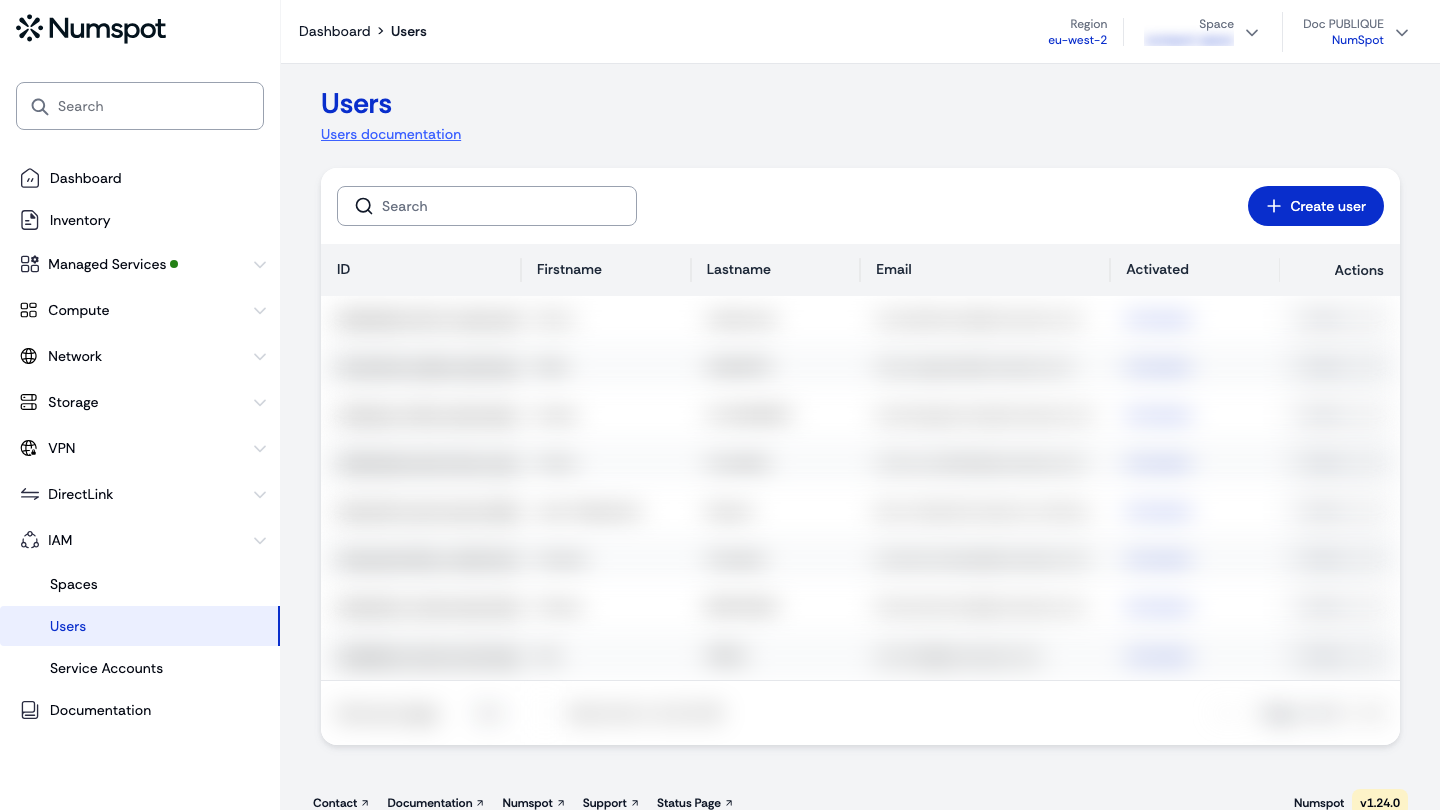
- From the left-hand side menu, click IAM → Users.
- Click the Create a user button.
- Enter the user's first name, last name and email address, then click Create and assign roles and permissions, or Create the user without roles or permissions:
- Create the user without roles or permissions immediately creates the account and redirects you to the "User details" page; you can assign access rights later;
- Create and assign roles and permissions opens the access rights wizard, made up of three steps: "Spaces", "Roles" and "Permissions".
- "Spaces" step: tick the spaces to associate with the user, then click Assign spaces and continue. You can also click Skip step.
- "Roles" step: select the "All spaces" tab or the relevant space, tick the roles to assign, then click Save and continue. You can also click Do not assign roles or Skip step.
- "Permissions" step: select the "All spaces" tab or the relevant space, tick the permissions to assign, then click Save and quit. You can also click Do not assign permissions or Skip step.
- A confirmation message is displayed and you are redirected to the "User details" page.
You can create a user from the profile of an existing user:
- From the "User details" page, click Create user from this profile.
- Enter the new user's first name, last name and email address.
- The new user inherits the same spaces, roles and permissions as the initial user.
API
Create a user in an organisation
Example
curl 'https://api.{region}.numspot.com/iam/organisations/{organisationId}/users' \
  --request POST \
  --header 'Content-Type: application/json' \
  --data '{
  "email": "john.smith@acme.org",
  "firstname": "",
  "lastname": ""
}'
Response
{
  "email": "john.smith@acme.org",
  "firstname": "…",
  "lastname": "…",
  "id": "123e4567-e89b-12d3-a456-426614174000",
  "active": true,
  "createdOn": "2018-11-13T20:20:39+00:00"
}
See the API usage page for details.
Create a user in a space
https://docs.numspot.com/openapi/#tag/identity-access-management/POST/iam/spaces/{spaceId}/users
Example
curl 'https://api.{region}.numspot.com/iam/spaces/{spaceId}/users' \
  --request POST \
  --header 'Content-Type: application/json' \
  --data '{
  "email": "john.smith@acme.org",
  "firstname": "",
  "lastname": ""
}'
Response
{
  "email": "john.smith@acme.org",
  "firstname": "…",
  "lastname": "…",
  "id": "123e4567-e89b-12d3-a456-426614174000",
  "active": true,
  "createdOn": "2018-11-13T20:20:39+00:00"
}
See the API usage page for details.
Assign roles and permissions to a user in an organisation
Example
curl 'https://api.{region}.numspot.com/iam/organisations/{organisationId}/iampolicy/{subjectType}/{subjectId}' \
  --request PATCH \
  --header 'Content-Type: application/json' \
  --data '{
  "add": {
    "roles": [
      ""
    ],
    "permissions": [
      ""
    ]
  },
  "delete": {
    "roles": [
      ""
    ],
    "permissions": [
      ""
    ]
  }
}'
Assign roles and permissions to a user in a space
Example
curl 'https://api.{region}.numspot.com/iam/spaces/{spaceId}/iampolicy/{subjectType}/{subjectId}' \
  --request PATCH \
  --header 'Content-Type: application/json' \
  --data '{
  "add": {
    "roles": [
      ""
    ],
    "permissions": [
      ""
    ]
  },
  "delete": {
    "roles": [
      ""
    ],
    "permissions": [
      ""
    ]
  }
}'
Terraform
The Terraform documentation is available on the Numspot registry ↗.