Get information about your internet gateways
Reviewed on · View on GitHub
You can get information about one or more of your internet gateways, such as their attachment state or the VPC (Virtual Private Cloud) to which they are attached.
Permissions
This action requires the following IAM (Identity and Access Management) permissions:
- compute.internetGateway.get
- Console
- API
- Terraform
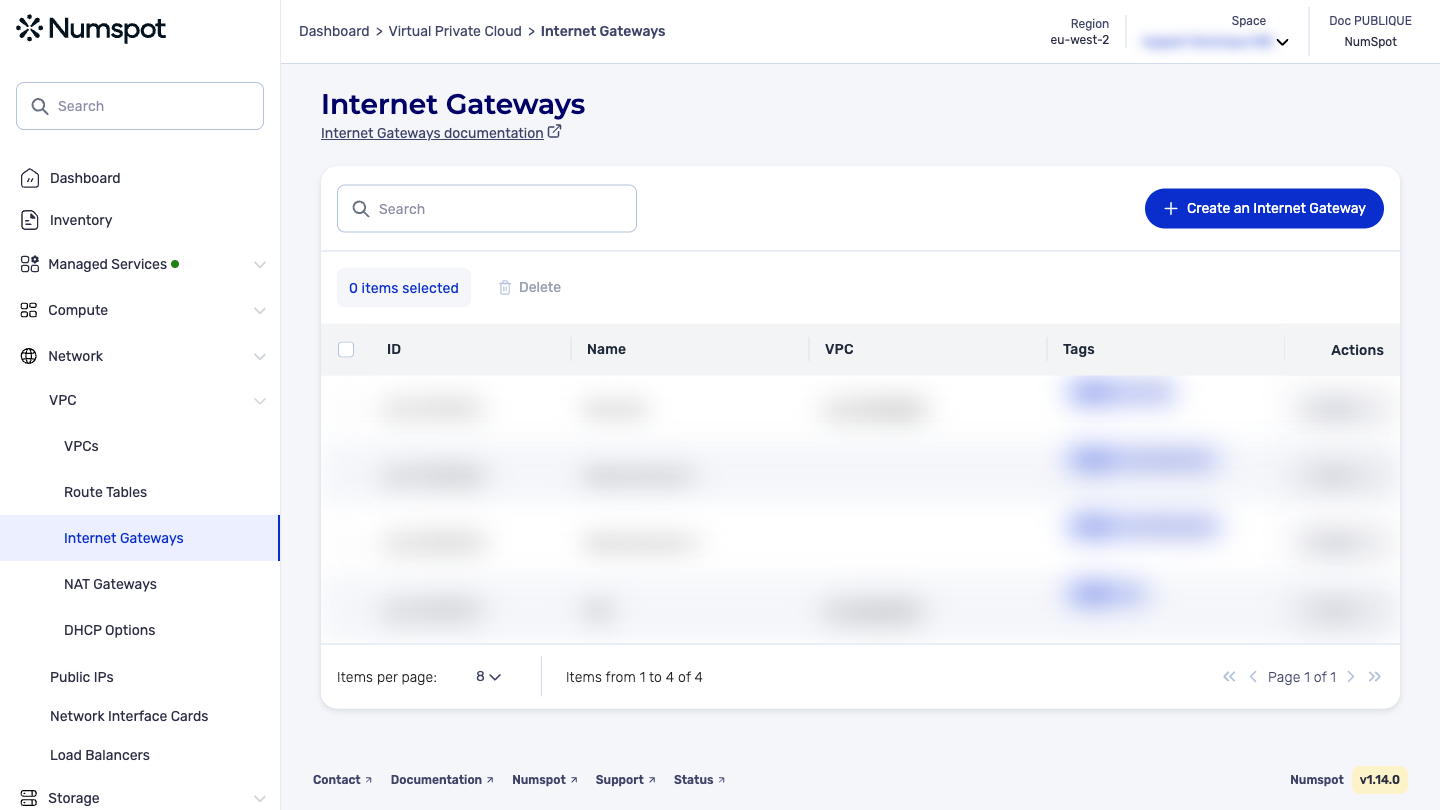
You can view the information of your internet gateways from the VPC dashboard.
-
From the left-hand side menu, click Network → VPC → Internet Gateways.
-
The list of internet gateways is displayed with their information:
- "Name": name of the internet gateway
- "ID": unique identifier
- "State": attached or detached
- "VPC": VPC to which it is attached (where applicable)
-
Click an internet gateway to view its details.
The GET /compute/spaces/{spaceId}/internetGateways command lists the internet gateways.
Example request: List all internet gateways ↗
The GET /compute/spaces/{spaceId}/internetGateways/{id} command retrieves information about an internet gateway.
Example request: Retrieve the information of an internet gateway ↗
The Terraform documentation is available on the Numspot registry ↗.