Create PostgreSQL clusters
Reviewed on · View on GitHub
You can create one or more custom PostgreSQL clusters within your space.
During creation, you can define the characteristics specific to each cluster, such as the name, the PostgreSQL version, the node configuration — amount of RAM and number of vCPU (virtual Central Processing Unit) —, the volume in which the data is stored, public exposure through a load balancer and the primary user.
Permissions
This action requires the following IAM (Identity and Access Management) permissions:
- postgresql.cluster.create
- Console
- API
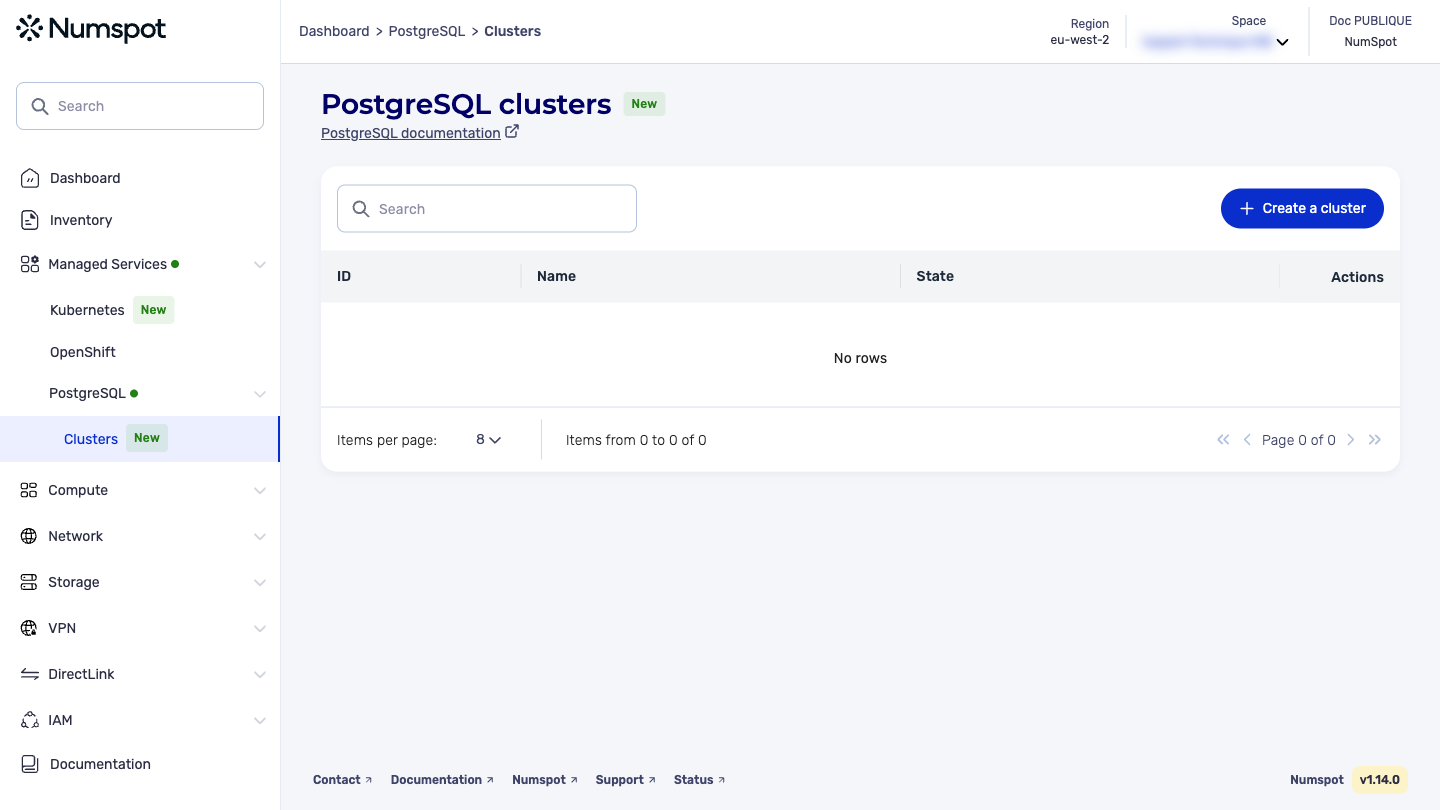
- From the left-hand side menu, click Managed Services → PostgreSQL → Clusters to access the list of PostgreSQL clusters.
- Click the Create a cluster button at the top right of the screen to launch the PostgreSQL cluster creation wizard.
Cluster name
Specify a unique name for your PostgreSQL cluster.
This name must meet the following criteria:
- length: between 3 and 63 characters;
- allowed characters: only letters (a-z, A-Z), numbers (0-9), hyphens (
-) or underscores (_); - structure:
- it must start and end with an alphanumeric character;
- hyphens (
-) and underscores (_) cannot be consecutive nor placed at the start or end of the name.
Valid example: my-cluster_PostgreSQL-2026.
You can also fill in a database name (optional). If you leave it empty, the database takes the name of the cluster.
Extensions
Select the extensions you want to enable. For more details on available extensions, their restrictions and license differences, see the Extensions section.
Cluster configuration
- Select the desired PostgreSQL version among the supported versions: 16, 17 and 18. The most recent version is selected by default. For more information about the version lifecycle, see Versions and lifecycle.
- Fill in the amounts of RAM (in gigabytes) and vCPU.
Storage sizing
- Select the storage type among the following options:
- Magnetic: economical magnetic volume, suited to low read/write usage;
- Performance: high-performance SSD for production;
- Enterprise: SSD with 300 IOPS (Input/Output Operations Per Second) per GiB guaranteed for critical workloads.
- Fill in the storage size required for your cluster.
High availability
To enable high availability, configure the number of synchronous replicas:
- 0 replica: no high availability - the service is interrupted if the node fails;
- 1 replica: basic protection against failures;
- 2 replicas: configuration recommended for optimal fault tolerance.
High availability requires at least 1 replica. With 0 replica, no protection is provided.
Network
Select the network type among the following options:
- Public: the cluster is accessible from the Internet through a public IP address;
- Private: the cluster is accessible only from the internal network.
Administrator
Fill in the name of the administrator that will be created for the cluster.
Cluster creation
To finalize the cluster creation, click the Create button.
You are redirected to the cluster details page. Your cluster is then being created and will be operational within a few minutes.
The POST /postgresql/spaces/{spaceId}/clusters request lets you create and launch a PostgreSQL cluster.
The cluster moves to the "creating" state until it is created, then to "pending" while the pods are managed, then to the "active" state.
Choosing the network type:
- Public: specify
"visibility": "EXTERNAL" - Private: specify
"visibility": "INTERNAL"
Example request
{
  "name": "my-cluster-postgresql",
  "user": "admin",
  "majorVersion": "17",
  "nodeConfiguration": {
    "vcpuCount": 2,
    "memorySizeGiB": 2
  },
  "volume": {
    "type": "PERFORMANCE",
    "sizeGiB": 10
  },
  "visibility": "EXTERNAL"
}
Example response
{
  "id": "550e8400-e29b-41d4-a716-446655440001",
  "name": "my-cluster-postgresql",
  "databaseName": "my-cluster-postgresql",
  "user": "admin",
  "majorVersion": "17",
  "fullVersion": "17.2",
  "status": {
    "state": "CREATING",
    "message": "Cluster is being created"
  },
  "nodeConfiguration": {
    "vcpuCount": 2,
    "memorySizeGiB": 2
  },
  "volume": {
    "type": "PERFORMANCE",
    "sizeGiB": 10
  },
  "visibility": "EXTERNAL",
  "replicaCount": 0,
  "host": "my-cluster-postgresql.postgres.eu-west-2.numspot.com",
  "port": 5432,
  "createdOn": "2026-04-05T10:30:00Z"
}
Choosing the network type
The choice between a Private and a Public network determines who can access your database:
-
Private: your cluster is accessible only within the Numspot internal network. Only your other resources located in the same network can connect to it. This option is recommended for production environments, in particular SecNumCloud environments. To access it securely, you can use a bastion VM and a Numspot VPN (Virtual Private Network).
-
Public: your cluster is accessible from the Internet. Anyone with the connection credentials can connect to it, wherever they are. This option is suitable for development, testing or environments where network security is not critical.
Recommendation: To ensure the security of your data in production, always favor the Private network.
Extensions
When creating a PostgreSQL cluster, you can choose to enable one or more extensions. This selection is final: extensions must be chosen at cluster creation and cannot be added or removed afterwards.
Available extensions
| Extension | Description | Use cases | Restrictions |
|---|---|---|---|
| TimescaleDB | Database extension optimized for time-series data. It organizes data into hypertables to improve the performance of inserts and queries on large volumes of timestamped data. | Time series, monitoring, IoT, application metrics, historical analysis. | Apache 2 license only. Features from the Community edition (under TSL — Timescale License) are not available. |
| Vector | Extension for storing, indexing, and searching high-dimensional vectors directly in PostgreSQL. It supports several indexing methods (IVFFlat, HNSW) and distance operators. | Semantic search, recommendation systems, RAG (Retrieval-Augmented Generation), vector databases. | No particular restrictions. |
TimescaleDB license feature differences
TimescaleDB is distributed under two licenses: Apache 2 (open source) and Community (TSL license). Numspot provides only the Apache 2 edition: features reserved for the Community edition are therefore not accessible.
| Feature | Apache 2 | Community (TSL) | Available on Numspot |
|---|---|---|---|
| Hypertables | Yes | Yes | Yes |
| Time-oriented indexing and queries | Yes | Yes | Yes |
| Continuous aggregates | No | Yes | No |
| Native data compression | No | Yes | No |
| Automated retention policies | No | Yes | No |
| Data tiering (cold storage) | No | Yes | No |
| Multi-node deployment | No | Yes | No |