Delete a space
Reviewed on · View on GitHub
Delete a space you no longer need. This operation is irreversible.
Permissions
This action requires the following IAM (Identity and Access Management) permissions:
- iam.role.delete
Deleting a space is irreversible. This action must be carried out with caution. The space will no longer be accessible after deletion.
To delete a space, make sure that all resources created in your space have been deleted. The existence of resources prevents the space from being deleted. They must first be deleted by the users to ensure that they are no longer billed.
- Console
- API
- Terraform
Console
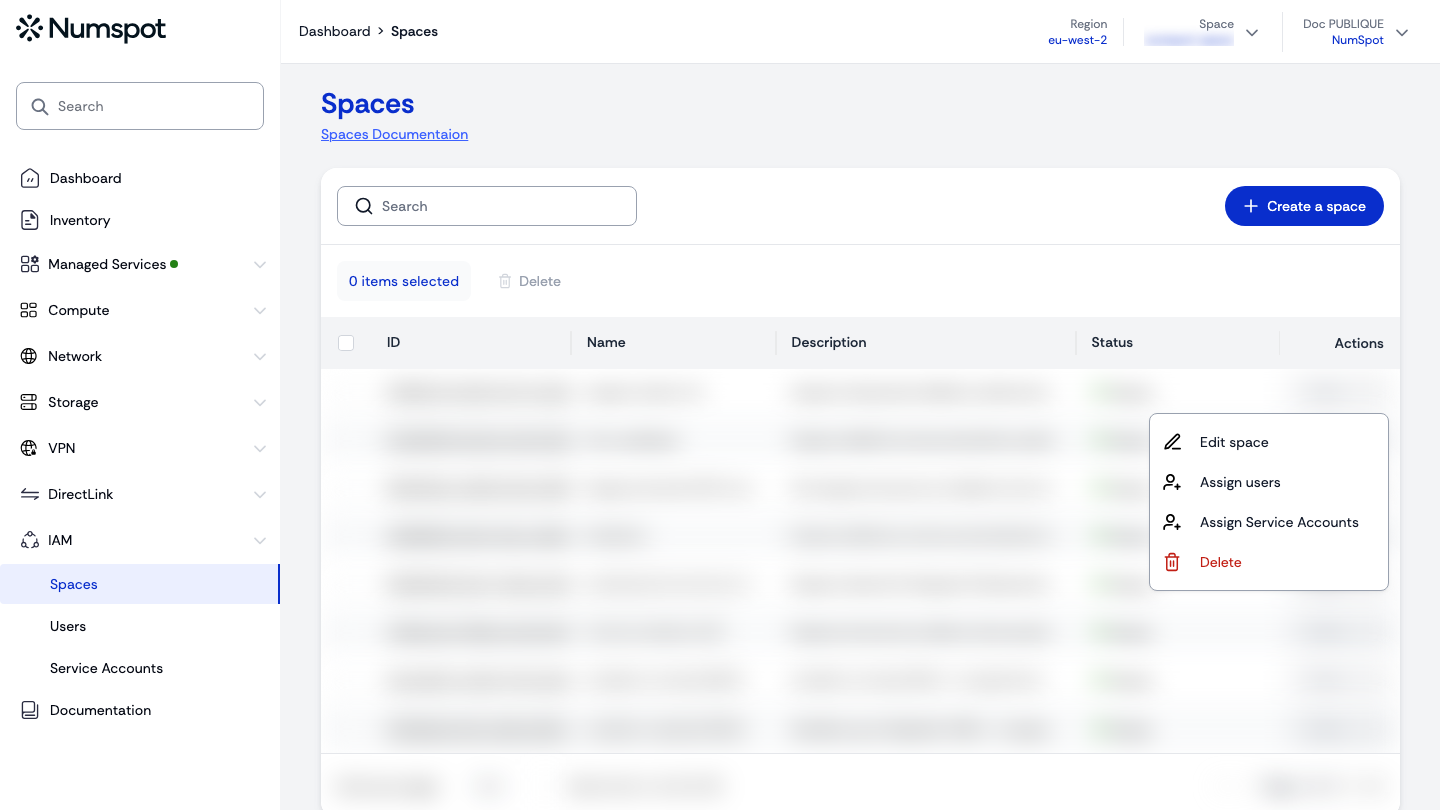
- In the Spaces menu, open the relevant space's Actions menu, then click Delete.
- The Deleting space dialog appears, asking you to submit a request to support. Contact us at support@numspot.com or via support.numspot.com providing your organisation ID and the ID of the space to delete.
From the console, deleting a space is not performed directly: it is a request submitted to Numspot support.
API
Example
curl 'https://api.{region}.numspot.com/organisations/{organisationId}/spaces/{spaceId}' \
  --request DELETE
See the API usage page for details.
Terraform
The Terraform documentation is available on the Numspot registry ↗.