Update a service account
Reviewed on · View on GitHub
You can update a service account's name, token duration and expiration date.
Permissions
info
This action requires the following IAM (Identity and Access Management) permissions:
- iam.serviceAccount.update
- Console
- API
- Terraform
Console
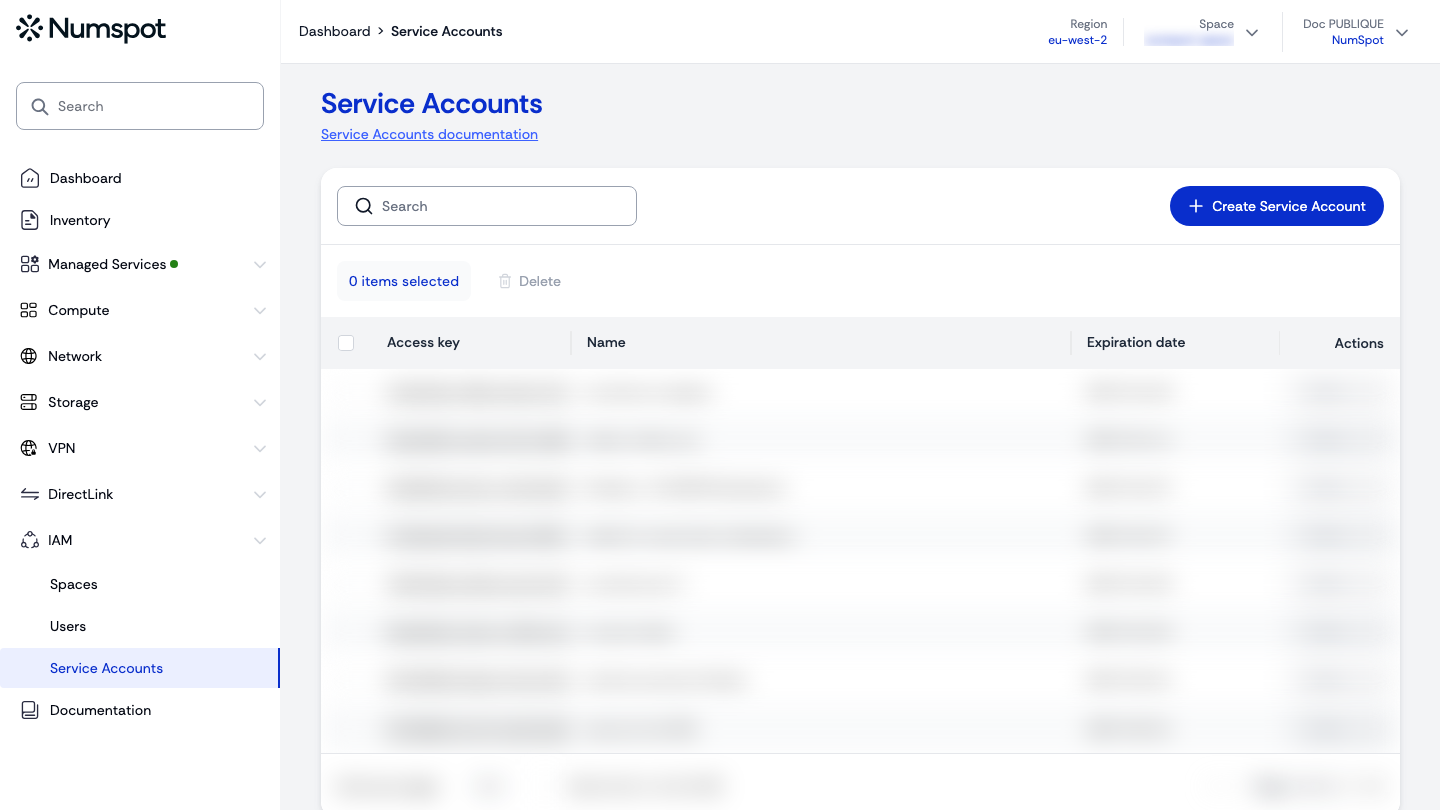
- From the left-hand side menu, click IAM → Service Accounts.
- In the Service Accounts table, click the access key of the service account to update.
tip
You can search for a specific service account using the Search field.
- On the "Service Account details" page, click the pencil of the "Name" field.
- Enter the new name, then confirm with the tick (the cross cancels the change).
From the console, only the service account's name can be updated. The token duration and the expiration date are updated via the API (API tab).
API
Update a service account in an organisation
curl example
curl 'https://api.{region}.numspot.com/iam/organisations/{organisationId}/serviceAccounts/{serviceAccountId}' \
  --request PUT \
  --header 'Content-Type: application/json' \
  --data '{
  "name": "",
  "tokenDuration": "PT24H",
  "expirationDate": "2025-12-31"
}'
Response
{
  "name": "…",
  "id": "…",
  "tokenDuration": "…",
  "expirationDate": "…"
}
info
All fields, updated or not, must be provided. The token duration uses the ISO 8601 format, between 1 second (PT1S) and 48 hours (PT48H), 24 hours (PT24H) by default.
See the API usage page for details.
Update a service account in a space
curl example
curl 'https://api.{region}.numspot.com/iam/spaces/{spaceId}/serviceAccounts/{serviceAccountId}' \
  --request PUT \
  --header 'Content-Type: application/json' \
  --data '{
  "name": "",
  "tokenDuration": "PT24H",
  "expirationDate": "2025-12-31"
}'
Response
{
  "name": "…",
  "id": "…",
  "tokenDuration": "…",
  "expirationDate": "…"
}
info
All fields, updated or not, must be provided.
See the API usage page for details.
Terraform
The Terraform documentation is available on the Numspot registry ↗.